JPEG vs PNG for website - Is JPEG or PNG better for web?
When building a website, choosing the right image format is critical for user experience and search engine optimization. The debate over JPEG vs PNG for website optimization is one of the most common discussions among web developers, graphic designers, and content creators. Both formats offer distinct features, but they serve entirely different purposes. Deciding which one is "better" depends directly on the type of image you want to upload and how you want it to display on your visitors' screens.
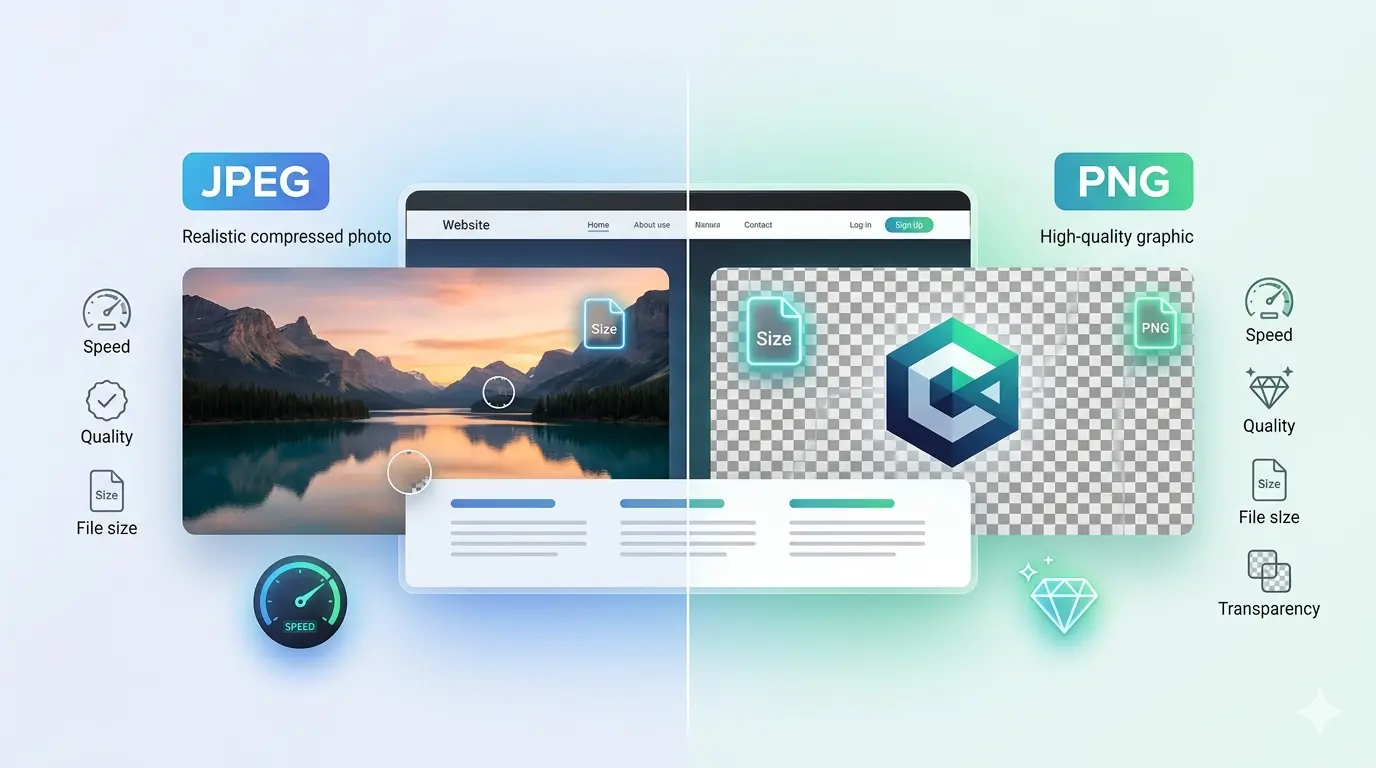
JPEG (Joint Photographic Experts Group) is famous for handling complex photographs with millions of colors while keeping the file size small. On the other hand, PNG (Portable Network Graphics) excels at displaying crisp lines, text, and transparent backgrounds, but often at the cost of a much larger file size. To make the best choice, you must clearly define your website's performance goals and visually analyze your media content.
💡 Important Tip:
Always choose your image format based on the content of the picture. Use JPEG for real-life photographs and colorful images, and choose PNG for graphics, logos, and images containing text or transparent areas.
Always choose your image format based on the content of the picture. Use JPEG for real-life photographs and colorful images, and choose PNG for graphics, logos, and images containing text or transparent areas.
Which image format is best for a website?
To determine the best image format for a website, we must look at how these files impact page loading speed, image size, image quality, and transparency support. A heavy website frustrates users and leads to high bounce rates. Therefore, webmasters must carefully balance visual quality with performance. Let us break down the primary factors that dictate which image format is best for your specific website needs.
- Page Loading Speed JPEG files are heavily compressed, meaning they download much faster on slower internet connections. PNG files are larger and take longer to load, which can hurt your website's Core Web Vitals if overused.
- Image Size A photograph saved as a JPEG might be 150 KB, while the exact same photograph saved as a PNG could easily exceed 1.5 MB. JPEG wins the storage and bandwidth battle effortlessly.
- Image Quality PNG uses lossless compression. It never discards visual data, making it perfectly sharp. JPEG uses lossy compression, meaning it throws away some data to reduce file size, which can create visual artifacts.
- Transparency Support Only PNG supports transparent backgrounds. If you need an image to blend perfectly over a colored website background, JPEG cannot do the job because it will always fill the transparent area with a solid white box.
If you want a deeper dive into making the final choice for your project, you can read our guide on PNG vs JPEG for website which format is better to understand the full technical nuances.
Should the website logo be PNG or JPEG?
When you upload a logo to your website header, it needs to look professional, sharp, and clean. You should almost always use a PNG for your website logo instead of a JPEG. The reason for this comes down to two major factors: transparency and sharp edge rendering.
Most website headers have a specific background color, or they feature a dynamic design where the background shifts as the user scrolls. If you use a JPEG for your logo, the image will have a solid background (usually white). This creates an ugly, unprofessional box around your logo that clashes with your website's theme. PNG allows you to remove the background entirely so only your logo design shows up, blending seamlessly into your site.
⚠️ Warning:
Never save a text-based logo as a heavily compressed JPEG. The compression algorithm will create "ghosting" or pixelated shadows around your letters, making your brand look cheap and difficult to read.
Never save a text-based logo as a heavily compressed JPEG. The compression algorithm will create "ghosting" or pixelated shadows around your letters, making your brand look cheap and difficult to read.
What file is best for a website logo?
While PNG is vastly superior to JPEG for logos, the absolute best file format for a website logo in modern web design is actually SVG (Scalable Vector Graphics). However, if you are strictly choosing between standard raster image formats (pixels), PNG is the undisputed winner.
- Use PNG for Detailed Logos 📌 If your logo contains complex shadows, gradients, or 3D effects, a PNG-24 will capture all those details beautifully while maintaining a transparent background.
- Use SVG for Flat Logos 📌 If your logo is purely geometric shapes, simple typography, and flat colors, SVG is better because it scales infinitely without losing quality and has a microscopic file size.
- Avoid JPEG for Logos 📌 As mentioned earlier, the lack of transparency and the risk of blurred edges make JPEG a terrible choice for brand identity elements.
Is a PNG higher quality than JPEG?
Yes, purely from a technical standpoint, a PNG is higher quality than a JPEG. This is because PNG uses a "lossless" compression algorithm. When you save an image as a PNG, the software compresses the file without permanently throwing away any visual information. When a user visits your website and their browser opens the PNG image, it reconstructs the file exactly as it was originally created, pixel for pixel.
JPEG uses "lossy" compression. To reduce the file size, the JPEG algorithm groups similar pixels together and literally deletes the data it deems unnecessary for the human eye. Every time you open, edit, and resave a JPEG, it loses more data, leading to a phenomenon known as generation loss. Therefore, if you need an image to retain perfect archival quality, PNG preserves everything, whereas JPEG sacrifices data for speed.
💡 Important Tip:
If you are displaying a digital portfolio of graphic design work or digital art, use PNG to showcase the true quality of your work. For standard blog post photos, stick to JPEG to save bandwidth.
If you are displaying a digital portfolio of graphic design work or digital art, use PNG to showcase the true quality of your work. For standard blog post photos, stick to JPEG to save bandwidth.
Is JPEG or PNG less blurry?
PNG is significantly less blurry when dealing with sharp contrasts, lines, and text. Because PNG does not group and average out pixels to save space, crisp edges remain razor-sharp. This makes PNG the ideal format for screenshots of software, infographics, charts, typography, and line art.
JPEG struggles immensely with sharp edges. Where a dark text pixel meets a light background pixel, the JPEG compression algorithm tries to blend them. This creates a blurry, muddy effect around the edges called "compression artifacts." If you take a screenshot of a spreadsheet and save it as a JPEG, the text will look fuzzy. If you save that exact same screenshot as a PNG, every letter will be perfectly crisp.
To fully understand the limitations of PNG despite its sharpness, you should learn about what is the main drawback of the PNG file format, which mainly revolves around how its high quality affects file sizes.
What looks better, PNG or JPG?
The answer to "what looks better" relies entirely on the subject matter of the image. You cannot blindly declare one format visually superior in all situations.
- When JPEG Looks Better (or Equal) For complex photographs of nature, people, or cityscapes, a high-quality JPEG looks identical to a PNG to the naked human eye. Because photos have thousands of smooth color transitions and gradients, the human eye cannot detect the subtle data loss of a JPEG. The advantage here is that the JPEG will be 80% smaller in file size while looking practically the same.
- When PNG Looks Better For digital illustrations, UI elements, vector-style artwork, and text overlays, PNG looks infinitely better. JPEG will add fuzzy noise to these images, ruining the clean aesthetic that modern web design demands.
If you ever find yourself with a heavy PNG photo that is slowing down your site, you can optimize your workflow and utilize a free PNG to JPEG converter without compression limits to shift formats easily while retaining optimal web display quality.
Can PNG be used for websites?
Yes, PNG can absolutely be used for websites, and it is a fundamental part of web design. Without PNG, transparent elements, modern overlays, and crisp UI components would be nearly impossible to implement effectively. However, you must use PNG files responsibly.
Using PNGs for large, full-screen background photographs is a terrible idea. A 1920x1080 photograph saved as a PNG can weigh anywhere from 2 MB to 5 MB. If your website page requires a user to download 10 MB of PNG images just to read an article, your page load speed will plummet. Google will penalize your site in search rankings for poor performance, and mobile users will leave before the page even finishes rendering.
⚠️ Warning:
Do not use PNG for large hero background photos or image carousels. Always restrict PNG usage to small graphical elements, logos, and transparent images to keep your webpage lightweight.
Do not use PNG for large hero background photos or image carousels. Always restrict PNG usage to small graphical elements, logos, and transparent images to keep your webpage lightweight.
When managing image assets, taking advantage of a reliable platform like ImageConverter24 helps ensure your website media is always in the correct format for optimal speed.
Is JPEG high quality?
Yes, JPEG provides remarkably high quality for continuous-tone images like photographs. The term "lossy compression" sounds frightening to designers, but the JPEG algorithm was brilliantly designed based on the flaws of human vision. It deletes color information that our eyes naturally cannot perceive anyway.
When you save a JPEG at a quality setting of 80% or higher, the resulting image looks vibrant, clear, and professional. It fully supports millions of colors (24-bit color depth), making it the global standard for digital photography. Unless you are heavily zooming in to look for pixel errors, a standard high-quality JPEG is more than capable of delivering stunning visuals for eCommerce stores, photography portfolios, and news websites.
To fully grasp why this format dominates the internet, you can review the most advantages of JPEG, which highlights its universal compatibility and excellent size-to-quality ratio. Furthermore, if you plan to move your digital work to the physical world, you might wonder is PNG or JPEG better for printing; in many professional photo printing scenarios, high-resolution JPEG remains the standard choice.
What JPEG quality is best for web?
Finding the sweet spot for JPEG quality is the secret to a fast, beautiful website. If you save a JPEG at 100% quality, the file size will be unnecessarily large with no noticeable visual benefit over an 85% image. If you drop the quality to 30%, the file will be tiny, but the image will look like a pixelated, blurry mess.
- The 70% to 85% Rule 📌 For the vast majority of web images, setting your JPEG export quality between 70% and 85% provides the perfect balance. The image remains visually sharp, but the file size drops dramatically.
- Keep Files Under 100 KB 📌 As a general web design rule, try to keep your standard blog and article JPEGs under 100 KB. Large banner images should stay under 300 KB.
- Use Progressive JPEGs 📌 When exporting, select "Progressive" rather than "Baseline." Progressive JPEGs load a low-resolution version of the image instantly on the website, which gradually sharpens as the data downloads. This greatly improves perceived loading speed for users.
💡 Important Tip:
Before uploading any image to WordPress or Shopify, run it through an image compressor tool. Even a JPEG saved at 80% quality can often be compressed further without visible quality loss.
Before uploading any image to WordPress or Shopify, run it through an image compressor tool. Even a JPEG saved at 80% quality can often be compressed further without visible quality loss.
What are the pros and cons of PNG?
Understanding the strengths and weaknesses of the PNG format helps web developers build visually appealing yet highly functional websites. Let us summarize the core pros and cons.
Pros of PNG:
The greatest advantage of PNG is its ability to handle transparency (alpha channels). It allows designers to layer images over complex website backgrounds perfectly. Furthermore, because of its lossless compression, PNG maintains perfect visual fidelity. Text, sharp lines, and vibrant illustrations never lose their edge, no matter how many times the file is saved. It is the go-to format for UI designers. You can explore a deeper analysis of PNG advantages and disadvantages to see how it compares against newer formats like WebP.
The greatest advantage of PNG is its ability to handle transparency (alpha channels). It allows designers to layer images over complex website backgrounds perfectly. Furthermore, because of its lossless compression, PNG maintains perfect visual fidelity. Text, sharp lines, and vibrant illustrations never lose their edge, no matter how many times the file is saved. It is the go-to format for UI designers. You can explore a deeper analysis of PNG advantages and disadvantages to see how it compares against newer formats like WebP.
Cons of PNG:
The primary disadvantage is the massive file size when used for complex photographs. PNG files consume large amounts of server storage and drastically slow down webpage loading times if applied to the wrong type of image. They are also completely unsuited for professional digital photography intended for web distribution, as the extra data does not translate to a visually better photo on a computer screen compared to a well-optimized JPEG. For a fair comparison, it is always wise to study the JPEG advantages and disadvantages as well.
The primary disadvantage is the massive file size when used for complex photographs. PNG files consume large amounts of server storage and drastically slow down webpage loading times if applied to the wrong type of image. They are also completely unsuited for professional digital photography intended for web distribution, as the extra data does not translate to a visually better photo on a computer screen compared to a well-optimized JPEG. For a fair comparison, it is always wise to study the JPEG advantages and disadvantages as well.
Conclusion: Mastering the JPEG vs PNG for website optimization game is essential for any modern web creator. Neither format is inherently better than the other; they simply act as different tools in a web designer's toolbox.
By sticking to the golden rule—using JPEG for heavy, color-rich photographs and PNG for sharp graphics, logos, and transparent elements—you will guarantee that your website remains visually stunning without sacrificing crucial loading speeds. Remember to actively compress your files, monitor your page sizes, and continuously adapt to the best web performance practices to keep your visitors engaged and your SEO rankings high.